
Support
White Noise Machine
Need help setting up your SoundSleeper machine? The Quickstart Guide and short videos below walk you through the key functions.
For anything not covered here, contact us at hello@soundsleeper.org
Quick Start Guide
→ Charge for 24 hours before first use — this is important for full battery capacity
→ Connect the USB-A to USB-C cable (supplied) to any USB power source: mains adapter, laptop, car socket or powerbank
→ Press the power button to turn on
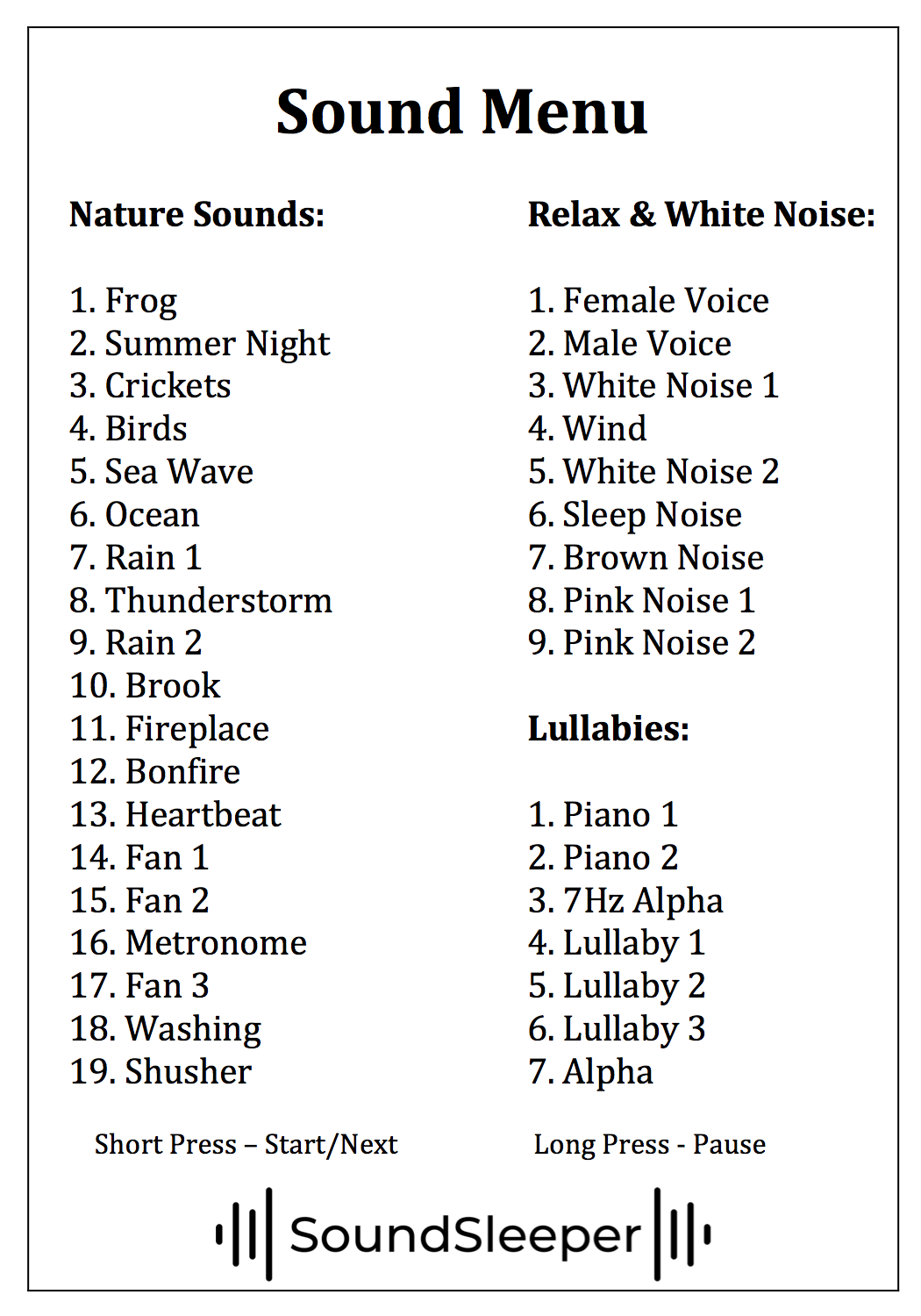
→ Use the 3 sound button to cycle through the 33 sounds
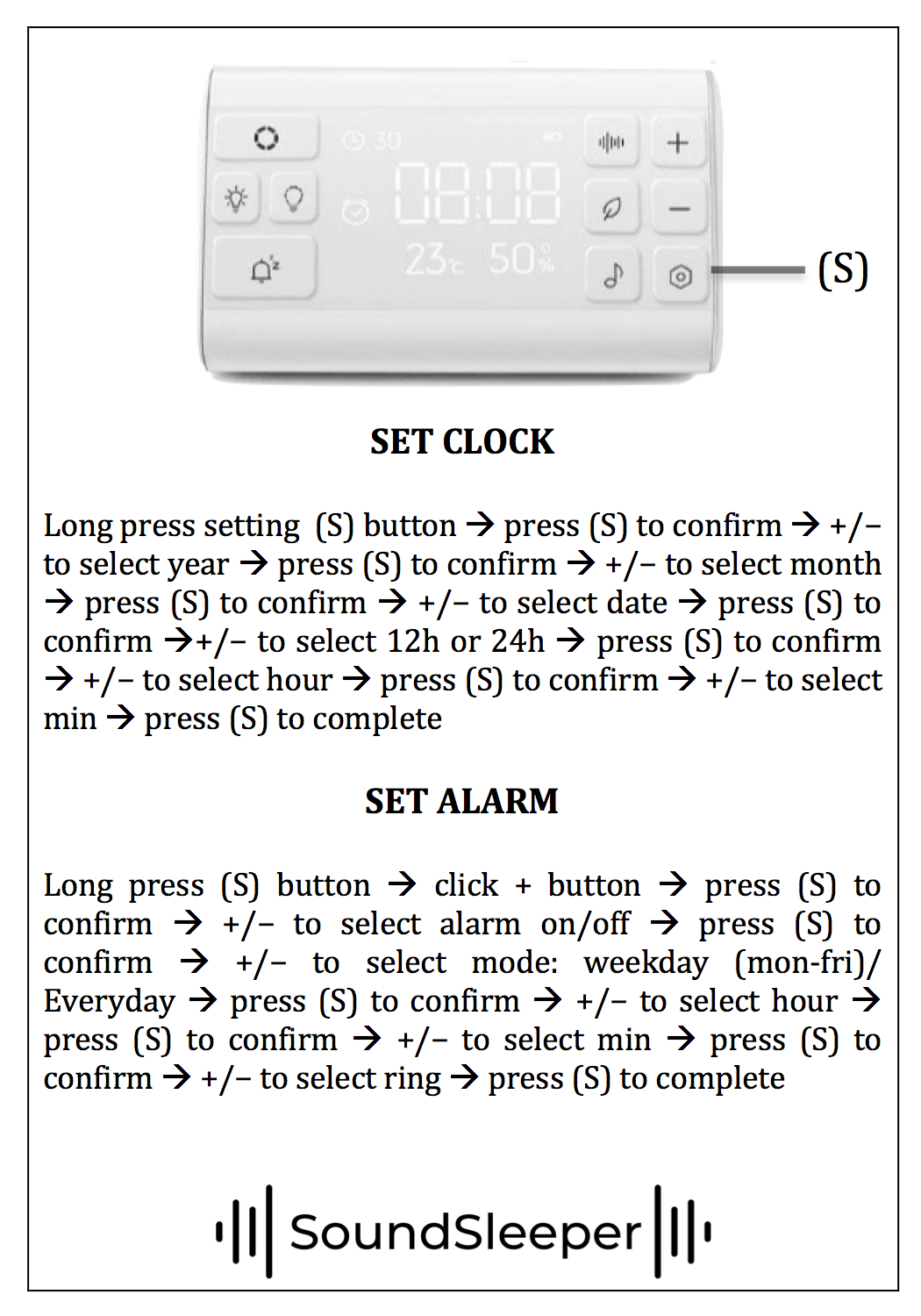
→ Press and hold to access the alarm and timer settings — see the How to Set the Alarm video above
→ The PMR scripts are sounds 1 (female voice) and 2 (male voice) on the first sound menu
→ The night light button cycles through colours and breathing modes
Introduction to your SoundSleeper machine:
A walkthrough of the machine’s main featues and controls - the best place to start if you’re setting up for the first time.
How to set the alarm:
How to programme the alarm, use the snooze function
How to set the time:
Step-by-step guide to setting the clock display on your machine